


👋 Get weekly insights, tools, and templates to help you build and scale design systems. More: Design Tokens Mastery Course / AI Design Guide / My LinkedIn

Claude Opus 5.5. has been my favourite model since day one. I tried Fable for many different things, but it didn’t click for me. It kept overthinking, had bad results, didn’t understand know what I want. Not to mention that it spent a lot of tokens.
However, I still think that model is just half of the job. The other half is your setup and your infrastructure. So everything from folders, other tools and my fav things Claude can do.
My setup: where the agent looks
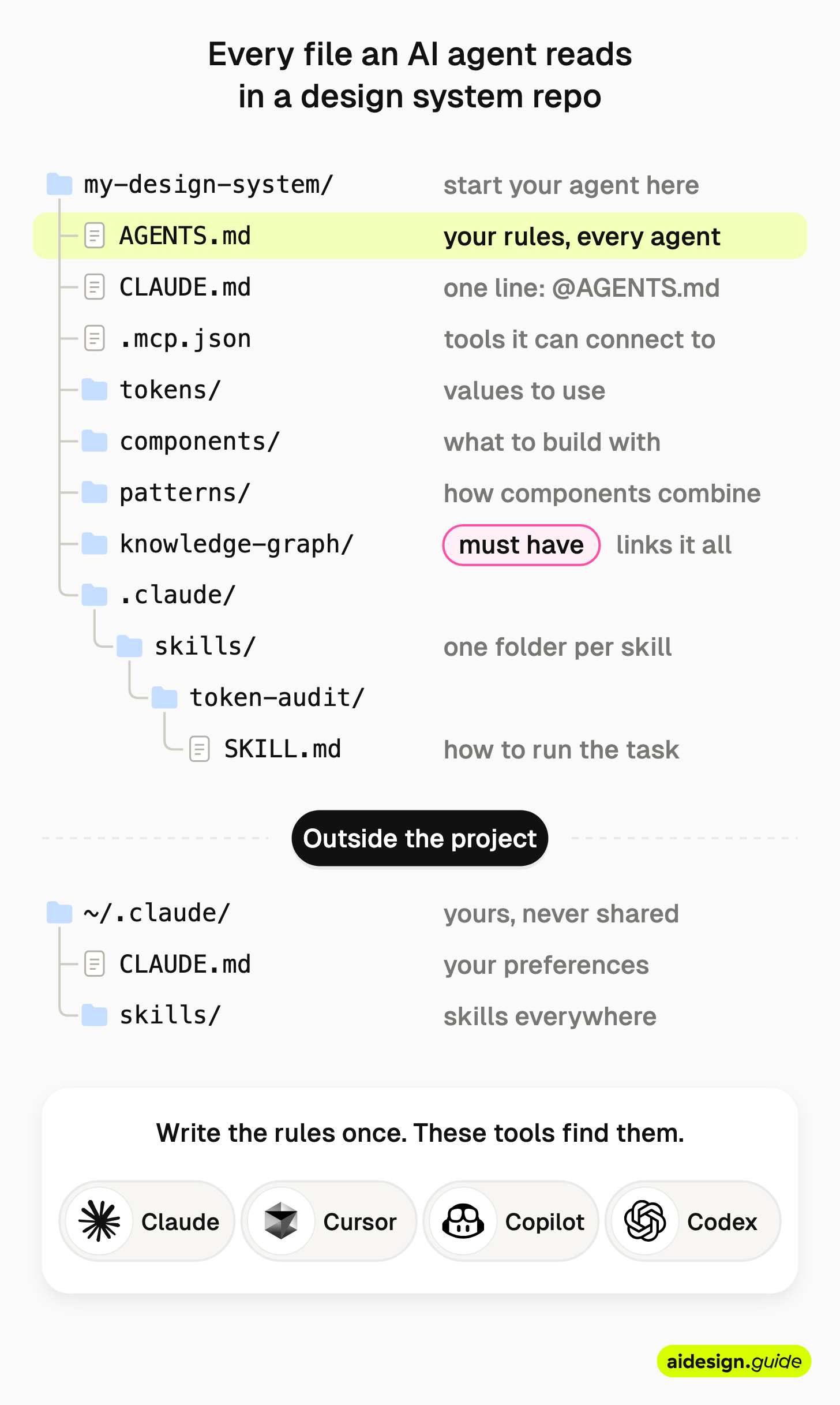
If you own a design system and you share it across the team, you don’t want to manage it just with prompts. I see prompts like sticky notes on the fridge. The agent reads them, and the next morning they’re gone. Your infrastructure stays. Every agent can understand it, anytime. Here is my structure:
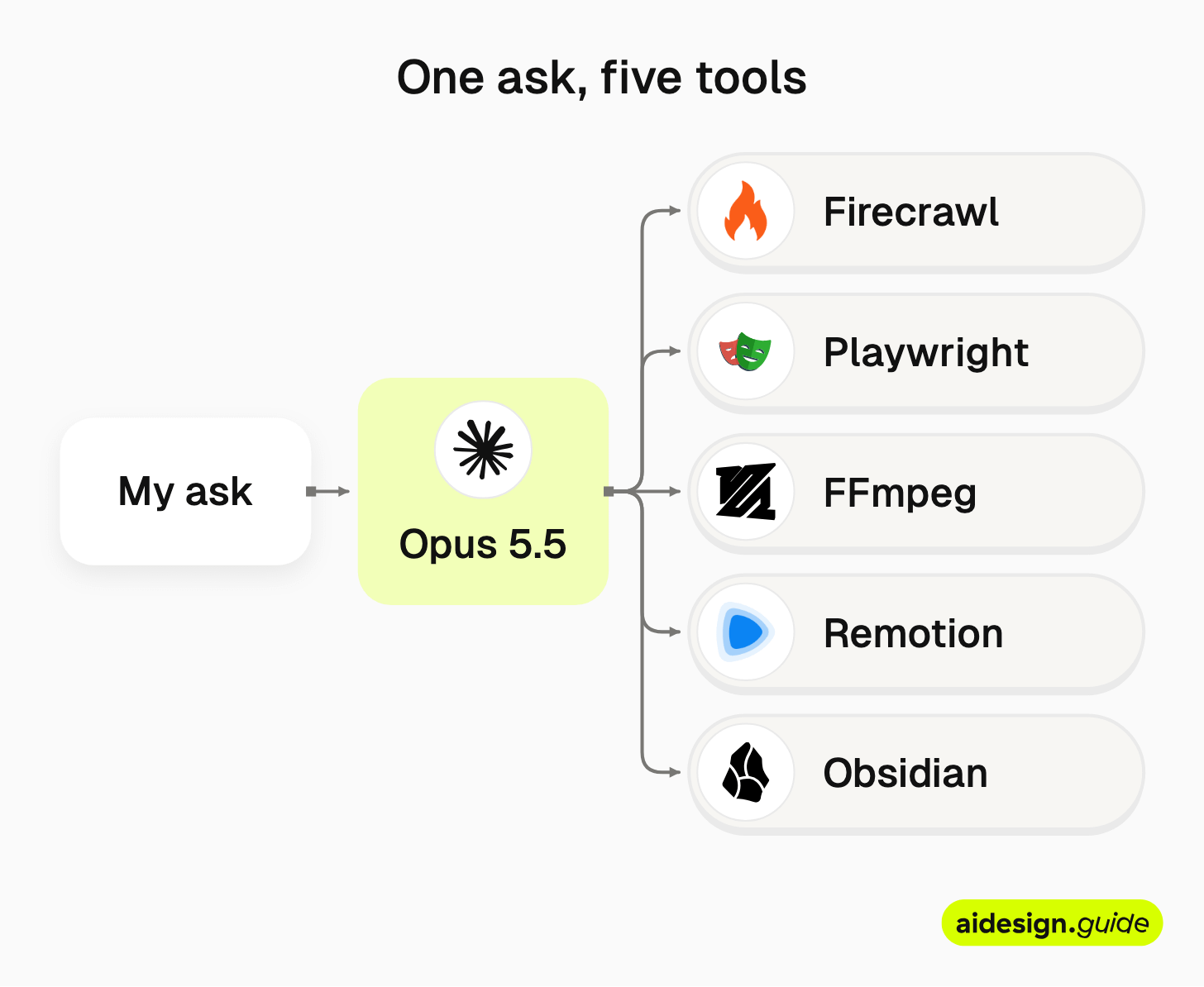
How I connect tools to optimize my work
I write all my newsletter texts by myself, but use AI to help me create diagrams (to visualize flows). I change those .svg’s in Figma and refine them to fit my brand. Then Claude takes care of the formats and exports.
I use the same setup for everything I work on.
First one is my personal projects, like working on my own content (newsletter, Linkedin, etc.).
Second one is design systems work. I spend a lot of time researching new tools, new ways of working, comparing models.
The third one is my client work (which is under NDA, more specific, and different.)
Tools I’m using daily:

Obsidian: opened, read and edited my draft and used the text for my diagrams
Firecrawl: checked the data and shared with me the screenshots
zeroheight ARC: tests whether an agent can find the answers in your docs
Headless Chrome + ffmpeg: turned their SVG logos into pNGs
Remotion for programmatic animations, videos
Playwright: testing, accessibility, screenshots (free, open-source)
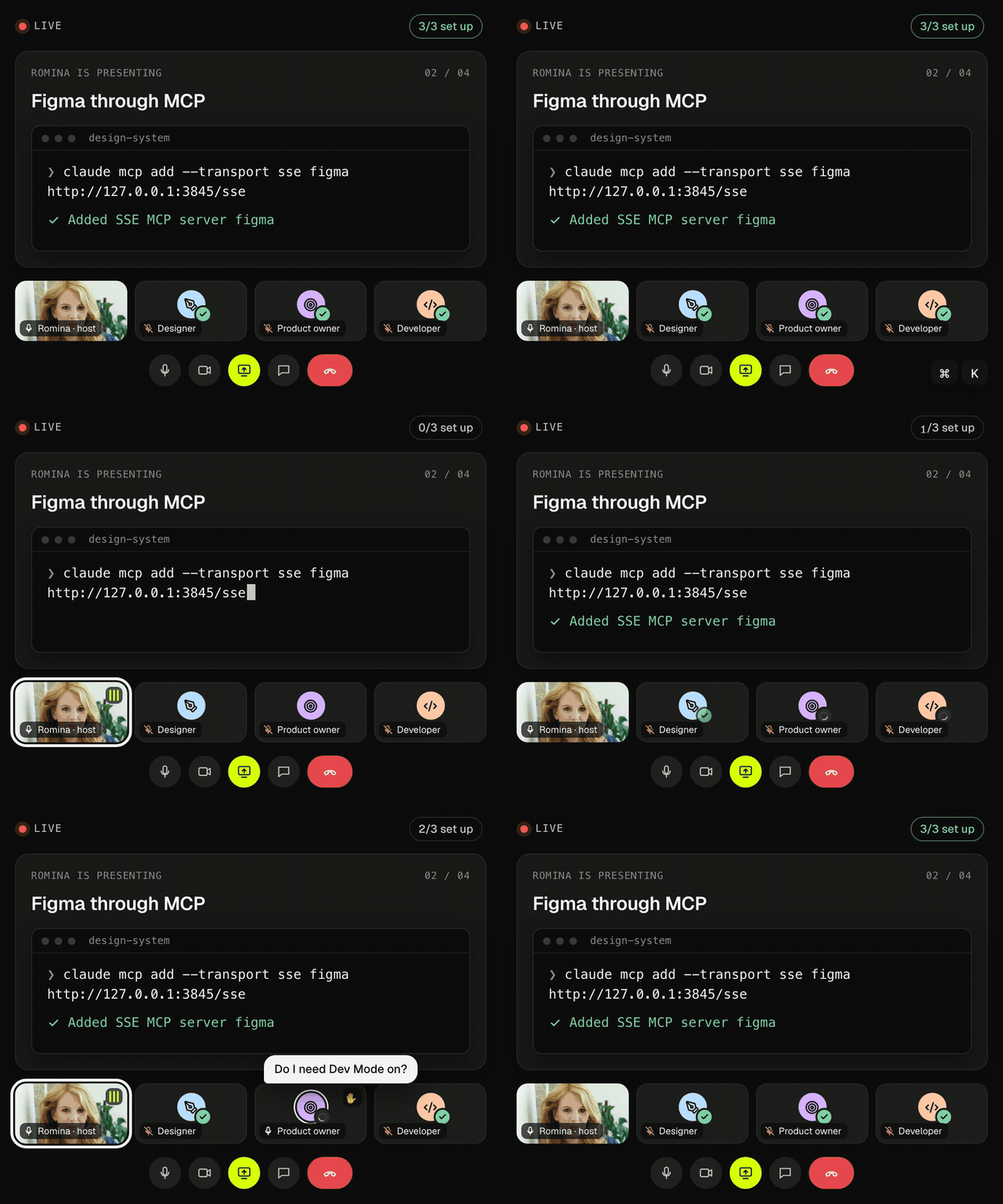
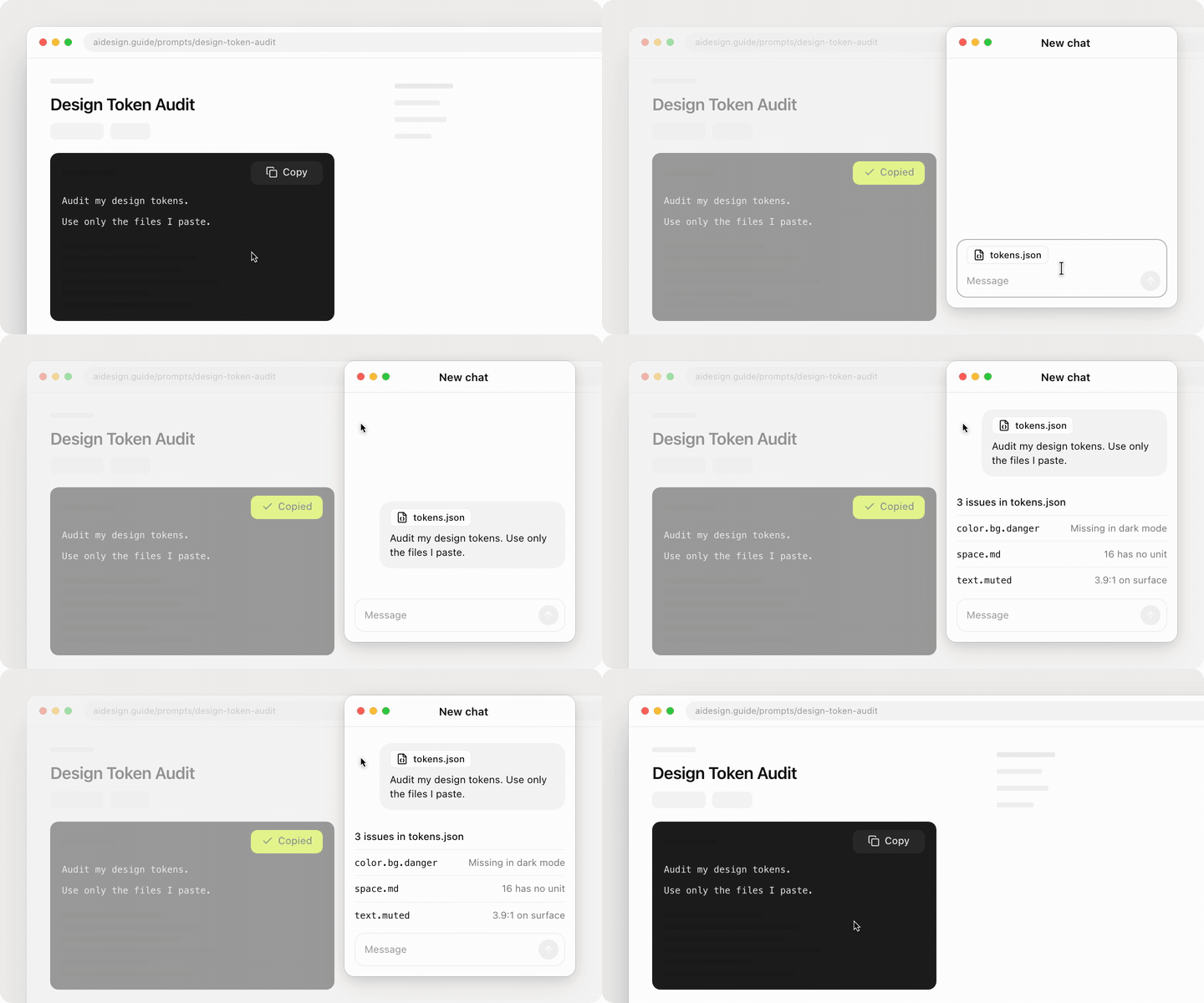
Where Claude Opus 5.5 surprised me the most is with the level of animations. When described in detail and when I provide art direction, the results are just wow. Some animations might take longer (it is not a 15 second job), but it is well worth it. Just look at the examples below:

Using Claude to feed your docs
Claude Code is also useful for building docs or for getting clean, deterministic exports from Figma. I was really surprised, but my public design system database has ONLY around 50 machine-readable docs. If you are in doubt what is the problem with your docs or how to improve it, try the new tool released by zeroheight. It is called DS ARC by zeroheight. It checks your docs for Component choice, Choosing between overlapping components, Props enumeration, Exact enum values, Design token naming, Keyboard interactions.
It also scores a sample of your docs against 12 guidelines from the Design System Documentation Spec.

You get a report in about 5 minutes. Inputs can be anything from public URL, .md upload, zeroheight, GitHub or Storybook.

Report link is unguessable, not indexed and expires in 14 days.


My rules when working with AI
I treat my design system as infrastructure. And the knowledge graph is part of it. Why? Because that’s where an agent learns how your tokens, components, patterns and rules fit together.
For every task, give context and your goal. Describe the outcome and leave the decisions how to get there to the AI. Talk to it like a smarter buddy.
Use High effort. Extra High almost doesn’t change the result. Yep, tested it, compared tokens, outcome. It is not worth it.
Once you have a plan + repeatable process and design system in place, you can use a cheaper model. This process works well for agentic development.
Always aim high. Do limit to what you think possible.
Never let the agent add features just because it can.
Build in iterations and review often. It is easier to go back and you can steer the tiny details.
Always save progress. When chat gets too long, the tool compress it and details get lost. Think of a progress file like a handover to a new developer.
Teach it how you talk. I use Wispr Flow, but regular voice also does the job.
Prompts alone are not enough. Like mentioned above, enforce everything with knowledge graph, scripts, checks, audits, etc.
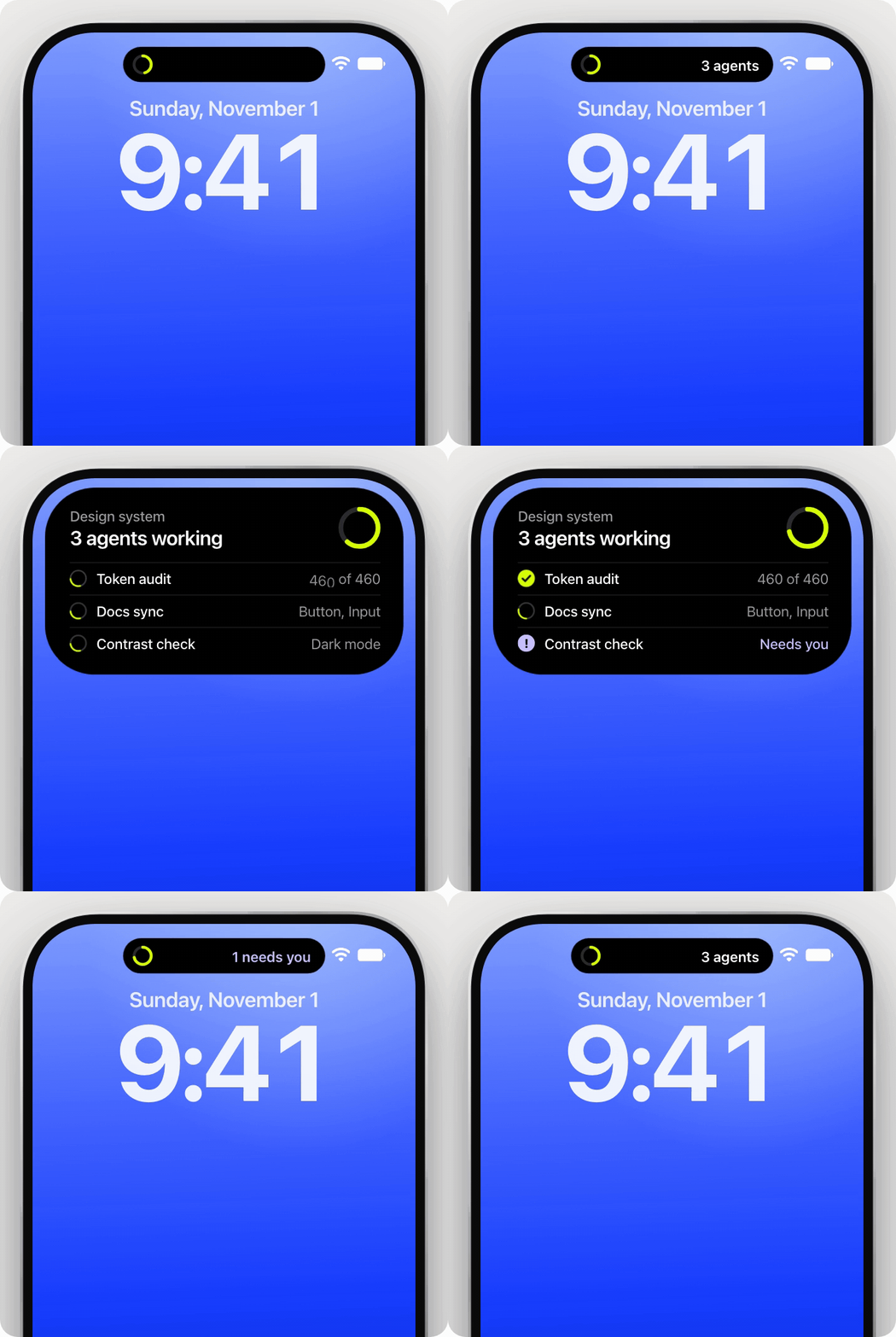
Use emojis or color coding. You can ask your tool to give you traffic lights for what it needs your decisions and what it is just there for your info.
When you are using parallel agents use worktrees. It’s like giving each agent its own duplicated Figma file (or a branch), so they don’t overwrite each other’s work.
Use different models or even tools and compare results. Use them as executive board. For example my main tool is Claude, but I also use Open AI model or even Grok, just to get a second opinion and compare results.
Add context to every commit, so the next agent knows what was done and decided.
Use Granola to record your meetings. Give the agent the transcripts (those who consent, of course), so it knows what was decided.
Enjoy exploring AI limits. 🙌
— If you enjoyed this post, please tap the Like button below 💛 This helps me see what you want to read. Thank you.
✨ Community gems ✨
QT Group is hosting a webinar series for Designers. Second webinar is around the corner (Nov 19, 2026, 03:00 PM GMT+1) → How to Design Production Ready UX 🙌


