


👋 Get weekly insights, tools, and templates to help you build and scale design systems. More: Design Tokens Mastery Course / YouTube / My Linkedin
This year I gave a talk at the Into Design Systems conference called Agentic Design Systems. The response genuinely caught me off guard. Thank you to everyone who showed up, stayed engaged, and sent those messages. It means more than you know.
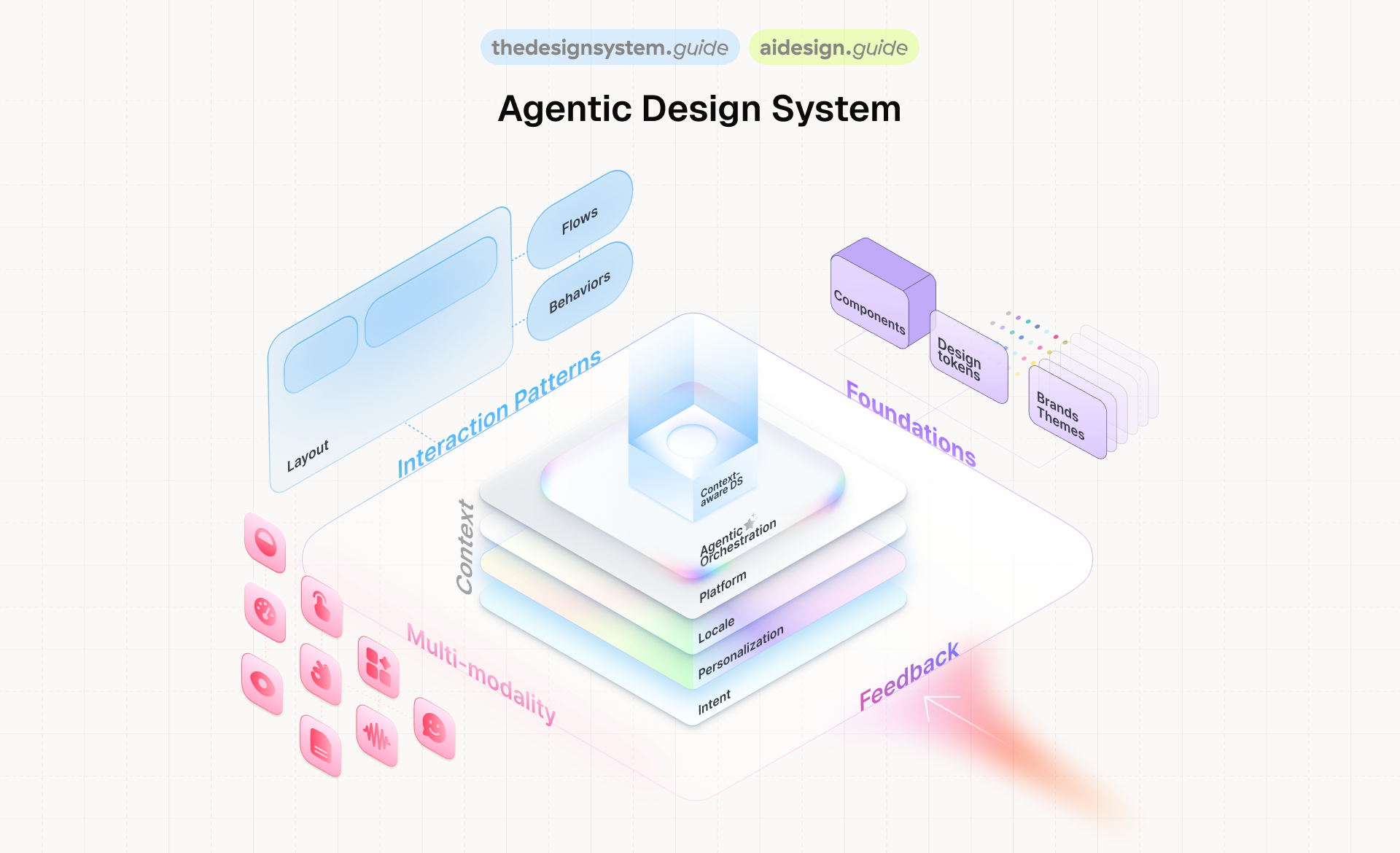
A year ago, I already presented at IDS and talked about context-aware design systems. A vision. Something we could see coming but couldn’t quite build yet.
This year, I came back with tools, numbers, and failures. Real ones.
This series covers everything from that talk. Not as a transcript, but as something you can actually use. If you’re building a design system today, or thinking about what AI means for your system, this is for you.
Let’s start with the shift that changes everything.
Your design system is infrastructure
Before anything else, I need to set one thing straight.
A design system is not a side project. It is not a nice-to-have. It is infrastructure. The same way your CI/CD pipeline is infrastructure. The same way your database is infrastructure.
And right now, in 2026, design systems are more important than they have ever been. Every product team is shipping faster than ever. AI is generating code at scale. And the only thing standing between your product and total inconsistency is the system that governs it.
Design systems reduce rework. They enforce brand. They catch accessibility issues before your users do. If you still need to justify your design system to leadership, frame it as infrastructure. Because that’s what it is.
The design system is the API that allows AI to build your product safely.
That’s not a metaphor. That’s literally what’s happening.
The numbers that should wake you up
Let me set the scene with what happened in the 12 months between IDS 2025 and IDS 2026:
28+ frontier models released by 6 major labs in under 10 months
$226 billion invested in AI. Nearly 2x the year before.
84% of developers now use AI tools daily
41% of all new code written in 2025 was AI-generated
Claude Code hit a billion dollars in revenue in under 12 months. The MCP ecosystem went from 100K to 8 million downloads. Gartner says 40% of enterprise apps will embed AI agents by end of this year.
This is the environment your design system lives in. Code is being generated faster than anyone can review it.
And that changes everything about how we think about governance.
The economics have flipped
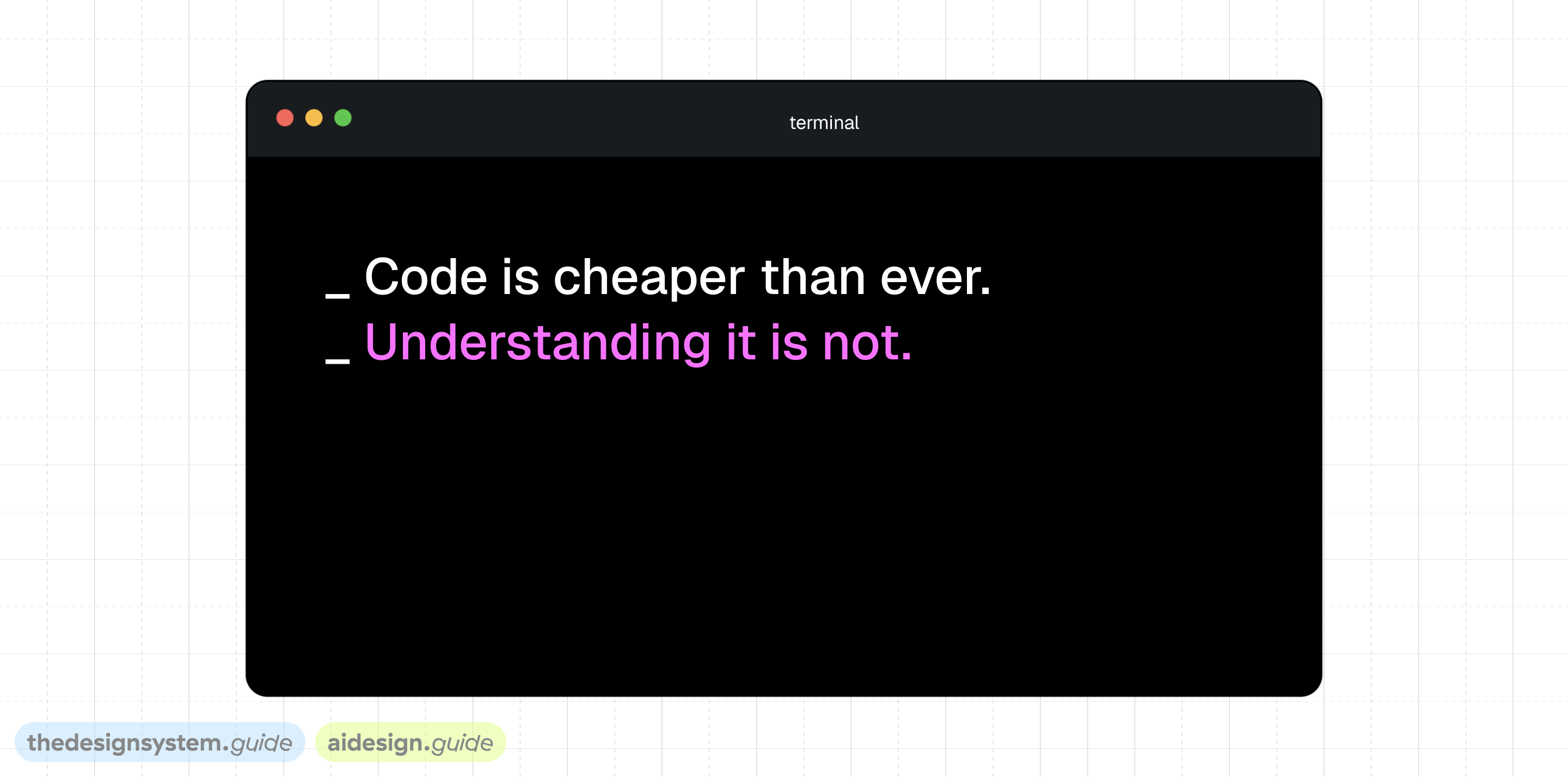
When code is cheap and understanding it is expensive, architecture must optimize for the impermanence of code.
We all know by now that developers using AI agents ship faster. Studies show a 39% productivity increase. But the interesting part is where the gain comes from. It's not that people write more code. The work shifts from syntactic to semantic. From "how do I write this" to "what should this do and why."
That’s exactly the shift design systems need to make.
A developer can generate a button component in 30 seconds with AI. But that button won’t know it should use your danger token inside an alert. It won’t know it should be secondary inside a card. It won’t respect your spacing scale.
The code is free. The understanding is the expensive part.
And that understanding? That’s what your design system encodes. Your tokens, your naming conventions, your component intent, your usage guidelines. That’s the real asset.
So when people ask me “will AI replace design systems?” I tell them: AI makes design systems more critical than ever. Because AI generates code. Design systems generate understanding.
How an agent actually works
Let me make this concrete. One story runs through the entire talk: a team needs a destructive confirmation dialog.
A developer says: “I need a confirmation dialog for deleting a workspace.”
Watch what happens when an agent handles this:
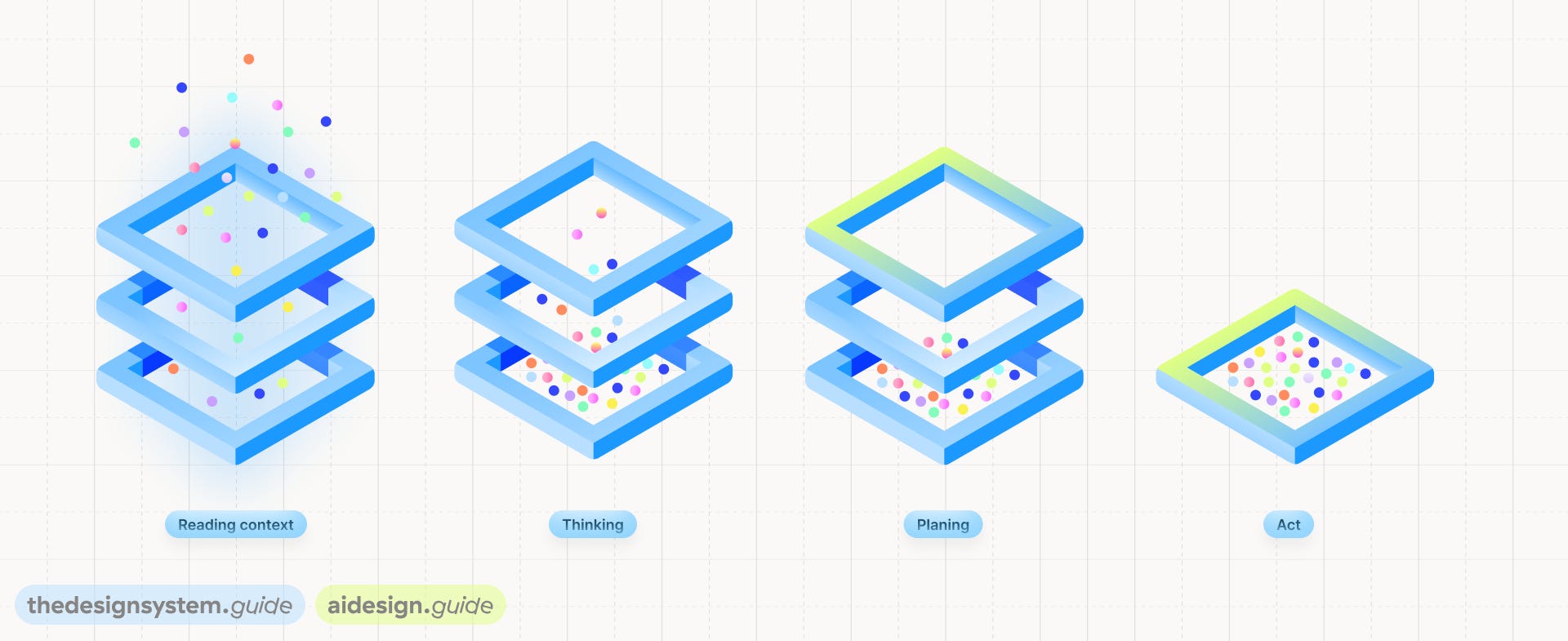
Reading context. It pulls in your component index, your token structure, your usage guidelines.
Thinking. It knows Dialog exists. It knows Button has a
destructivevariant. It knows Alert has awarningslot.Planning. Dialog + Alert + two Buttons. Destructive primary, secondary cancel.
color.bg.dangerfor the action, notcolor.bg.primary.Acting. It assembles the pattern, applies the right tokens, and generates the code.
What makes it agentic is three things: autonomy, tool use, and feedback loops. It doesn’t just answer a question. It takes action, observes the result, and adjusts.
But here’s the key: none of this works unless the agent has something to read. The components need to be described. The tokens need intent. The patterns need reasoning.
That’s what the rest of this series is about.
Intent changes everything
The flow looks like this:
Intent (natural language) -> Context (extracted dimensions) -> System output (specific guidance)
“I need a confirmation dialog for deleting a workspace” is the intent.
The system extracts five dimensions from that: component type, action severity, user flow, token scope, platform. These are the lenses the agent looks through.
The output isn’t a vague suggestion. It’s specific: Dialog + Alert + 2 Buttons. color.bg.danger token mapping. “Always pair with cancel” rule. A link to the Dialog component in Figma. A suggested composition template.
The agent doesn’t guess. It reads your system’s rules through these context layers.
This only works if those rules exist.
MCP: USB for AI
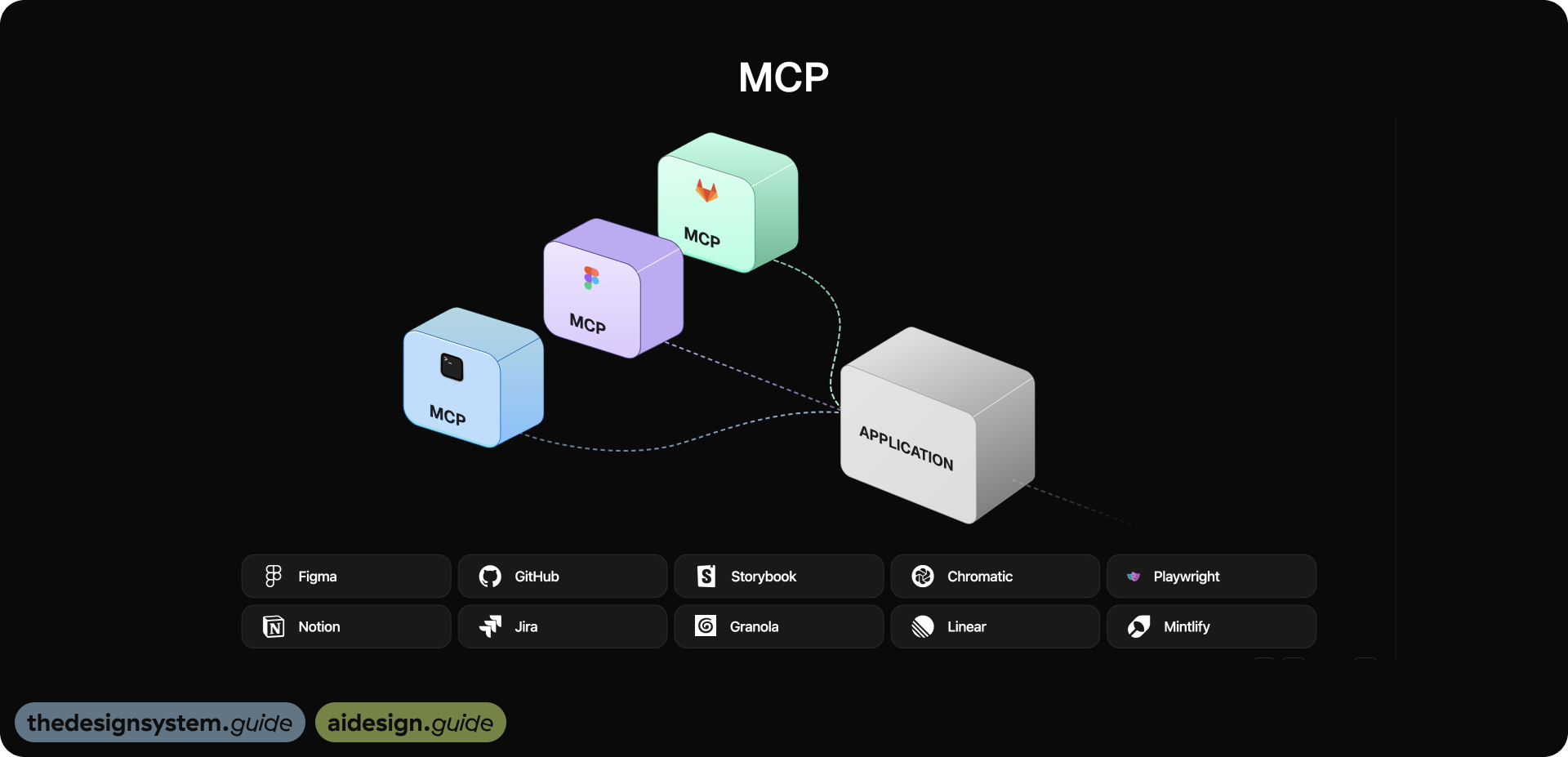
For any of this to work, the agent needs to connect to your tools. That’s where MCP comes in.
Model Context Protocol is a standard way for AI agents to connect to external tools. Think of it as USB for AI. Instead of building custom integrations for every tool, you expose your tools as MCP servers and any AI agent can use them.
My most used MCPs: Figma, GitHub, Storybook, Chromatic, Granola, Notion, Jira, Stylelint, Linear, Mintlify. Each one gives the agent a different slice of context.
CLI vs MCP: you need both
A practical question I get a lot: do I need MCP for everything?
No. CLI and MCP serve different purposes.
CLI is for speed. Direct command execution. Simple setup. No servers, no schemas. Fast experimentation. Designers can start immediately with local tools. Less context overhead, fewer reasoning loops. Great for single-tool workflows, like tasks happening entirely inside Figma.
Here’s what CLI looks like in practice.
I built a token command that resolves Figma token values straight from the terminal:
$ token color.bg.danger
→ #DC2626 (alias: primitives/red-600)
Or composing a full UI pattern with one shell script:
$ ./patterns/run-pattern.sh destructive-confirmation
→ Creating frame in Figma...
→ Dialog + Alert + Button(destructive) + Button(secondary)
→ Tokens bound: color.bg.danger, color.text.on-danger
→ Done. Check your Figma canvas.
No MCP server running. No schema negotiation. Just a direct HTTP call to a Figma plugin that exposes a local API, and the pattern appears on your canvas (will share more in part 3). You can read token values, compose patterns, and run audits without any agent infrastructure. That’s the power of CLI: you go from zero to useful in minutes.
MCP is for scale. When the agent needs to orchestrate multiple tools. Connect Figma, GitHub, Storybook, docs, CI in one flow. The agent understands structured design data: components, tokens, variants. Changes propagate end-to-end from design to code to docs. It enables autonomous agents that detect, analyze, plan, and fix. Standardized protocol that runs in CI pipelines. Scales across teams.
Where MCP shines is when the agent needs to connect the dots across tools. “A token changed in Figma. Which components use it? Which pages are affected? What’s the traffic on those pages? Should I open a PR?” That’s four different data sources (Figma, GitHub, PostHog, the knowledge graph) orchestrated in one flow. CLI can’t do that. MCP can.
CLI for speed. MCP for scale. The best systems use both. We used both in our setup: Tidy’s HTTP API for CLI-speed pattern composition, with MCP’s structured component and token data for the orchestration layer.
The three layers that make components machine-readable
This is where most design systems fall short. I see teams with a component library and tokens, but the agent can’t do anything useful with them because they’re missing layers.
There are three layers an agent needs:
Layer 1: The Index
What exists, what uses what, what depends on what.
The agent knows Dialog exists. It knows Button has 4 variants. It knows Alert connects to both. This is the relationship map.
Without the index, the agent is blind.
Layer 2: Metadata
This is the how and why.
The component description for Button says: “use the destructive variant for irreversible actions, always paired with a cancel option.”
That single sentence is what told the agent to add a secondary cancel button. Without metadata, the agent knows components exist but not when to use them.
Layer 3: Reasoning
The selection logic.
For a confirmation dialog, compose Dialog + Alert + two Buttons. For a login form, compose Input + Input + Button.
This is the playbook. Without reasoning, the agent assembles random parts.
Most design systems today have some of layer one, very little of layer two, and almost none of layer three. That’s the gap we need to close.
And closing it is not a year-long project. Writing 554 component descriptions took me one session with AI.
Context makes the same component behave differently
Here’s what context-aware means in practice.
Same component: Button. Three different contexts:
In an alert: use
bg-danger. Intent: destructive action. Always pair with a cancel button.In a card: use
bg-neutral. Intent: secondary action. Don’t compete with page-level CTAs.In the nav: use
bg-brand. Intent: conversion action. One per nav bar maximum.
Same Accordion component. FAQ gets question-phrased headers (”How do I reset my password?”). Settings gets noun-phrased headers (”Notification settings”).
The agent writes different docs for each because it knows WHERE the component lives, not just what it is.
But here’s what nobody tells you: if the agent knows where a component lives, it can infer most of this automatically.
Take Accordion. The agent sees it in FAQ, in Settings, and in Checkout. Same component. Three different contexts. Now it can write three different sets of documentation without anyone asking.
It figured that out by looking at 34 instances across 6 products. It can generate do/don’t examples. It can prioritize: a component on homepage and checkout is more critical than one only in admin.
The agent doesn’t just know the component spec. It knows the business context. And you get this for free if you map which pages represent which products.
Plant seeds, not trees
I showed two videos in the talk.
First one: seeds. You plant them. You water them. You wait. Growth is slow but it’s real.
Second one: trees. You buy them fully grown and drop them into your garden. Looks impressive on day one.
Every team I talk to wants the tree. They want the fully autonomous agent that fixes everything. But that’s not how this works.
You have to plant seeds. You have to build the foundation first: the naming conventions, the token structure, the component descriptions, knowledge graph. Then the automation grows on top of it.
Without structure, AI amplifies noise at scale. With structure, it amplifies understanding.
What this means for you
If you take one thing from this part of the series, let it be this:
The asset is not just the code. The asset is the understanding.
Your design system’s value isn’t in the React components or the Figma library. It’s in the naming conventions, the token intent, the component metadata, the usage reasoning, your knowledge graph. That’s what AI reads. That’s what makes the difference between a generic button and a button that belongs in your product.
Start there.
The rest of the series shows you how.
Next up: Part 3: The Self-Healing Design System where I’ll show the architecture, the MCP connections, the knowledge graph, and the self-healing loop that catches problems before they ship.
Stay tuned,
Romina
— If you enjoyed this post, please tap the Like button below 💛 This helps me see what you want to read. Thank you.
💎 Community Gems
Granola
If you want to make an extra step when setting up an agentic design system, connect meeting notes to Claude via MCP and start using Granola. 🔥
I use Granola and as additional data layer.
Granola is an AI notepad that transcribes your calls in the background.
NO MEETING BOTS.
No weird "AI assistant has joined the call."
You take notes as you normally would, and Granola automatically turns them into structured summaries, action items, and next steps. It works on both Mac and Windows.
But here's where it gets powerful.
Granola supports MCP (Model Context Protocol).
That means your meeting notes flow straight into Claude or ChatGPT as searchable, queryable context. 🤯
Instead of digging through old notes, I ask:
* "What did we decide about the component API last Tuesday?"
* "Pull all action items from client calls this month."
* "Summarize feedback from our last three design reviews."
5 seconds, boom, done. ✅
My workflow:
↪️ Meeting happens. I add quick notes. Granola transcribes in the background.
↪️ Meeting ends. Summary, action items, and next steps are ready instantly.
↪️ Recipes (pre-made prompts) help me write follow-ups or prep for the next call.
↪️ Zapier pushes action items to Linear, Jira, wherever work lives.
↪️ MCP connects it all to Claude. Every past conversation becomes a context I can query.
Try it and thank me later ☺️ I've got a link to a free month
Recommended read → UX + AI written by Ileana ✨
This is a space for curious minds who care about how we design, build, and think about digital products in a world shaped by AI. Really recommend you follow Ileana and learn something new every week.

🔗 Link
This was my favourite session at the IDS conference and first time seeing you present, truly inspirational and incredibly educational! Thanks for everything that you do for the design system community:)