


👋 Get weekly insights, tools, and templates to help you build and scale design systems. More: Design Tokens Mastery Course / YouTube / My Linkedin
I am not affiliated with any of the suggested tools
Everyone wants to add AI agents to everything right now. Your design system is no exception.
Someone on your team has already suggested it. “What if we built an agent that validates token usage?”
Let me give you a framework to figure out when an agent actually makes sense, when a simple workflow does the job, and when you should just write a shell script and move on with your life.
First, what is an agent?
An agent is an LLM that can use tools and take actions. Not just answer questions. Act.
That’s the key difference from a regular AI chat. When you ask ChatGPT or Claude a question, it generates a response and stops. It lives entirely inside the conversation. It can’t open your files, check your codebase, run a command, or push a commit. It can only talk.
An agent can do all of those things. It has access to tools such as your file system, terminal, APIs, design token files, and Figma. When you give it a task, it doesn’t just tell you what to do. It reads your code, finds the problem, writes a fix, runs the tests, and tells you what happened. Then it decides what to do next based on the result. If the tests fail, it reads the error, adjusts, and tries again.
Here’s what that looks like in practice. You tell an agent: “Check if our Button component matches the Figma design.” The agent:
Connects to Figma’s API and pulls the design specs for the Button component.
Reads your component source code to understand the current implementation.
Launches a browser using Playwright, navigates to your Storybook, and takes a screenshot of the rendered Button.
Compares the screenshot against the Figma design and flags differences: wrong padding, missing hover state, border-radius off by 2px.
Writes a summary with specific suggestions and the exact lines of code to change.
No single tool does all of that. The agent stitched five tools together on its own and decided the order. That’s the difference. A chat would have told you how to do the comparison. The agent did it.
So, you tell it what you need, and it figures out the steps. Sometimes it asks for clarification. Sometimes it goes down the wrong path and corrects itself. Sometimes it nails it on the first try.
The other key difference is from a workflow: an agent chooses its own path. A workflow follows steps you defined in advance. When the task is predictable, a workflow wins. When the task requires adapting to what it finds along the way, that’s where agents earn their keep.
How do you actually make an agent?
You don’t need to write code to use an agent. Tools like Claude Code, Cursor, and GitHub Copilot are agents you can use right now. Open a terminal, point Claude Code at your codebase, and ask it to do something. That’s it. You’re using an agent.
But if you want to build your own, the format is simpler than you’d expect. At its core, an agent is just three things:
Instructions. A markdown file or system prompt that tells the agent who it is, what it knows, and how it should behave. Think of it as the job description for your intern.
Tools. What the agent can actually do. Read files, search code, call APIs, run commands, edit files. You decide what to give it access to.
A loop. The agent reads its instructions, picks a tool, uses it, looks at the result, and decides what to do next. It keeps going until the task is done or it gets stuck.
That’s the whole architecture. Instructions, tools, loop.
For design systems specifically, the most common entry points are:
Claude Code with a CLAUDE.md file. You write a markdown file describing your design system’s conventions, token structure, component patterns, and coding standards. The agent reads it before every task. This is the lowest-effort way to get a design-system-aware agent.
Custom MCP servers. The Model Context Protocol lets you expose your design tokens, component docs, or Figma data as tools an agent can query. Your agent can now look up your actual token values, not guess at them.
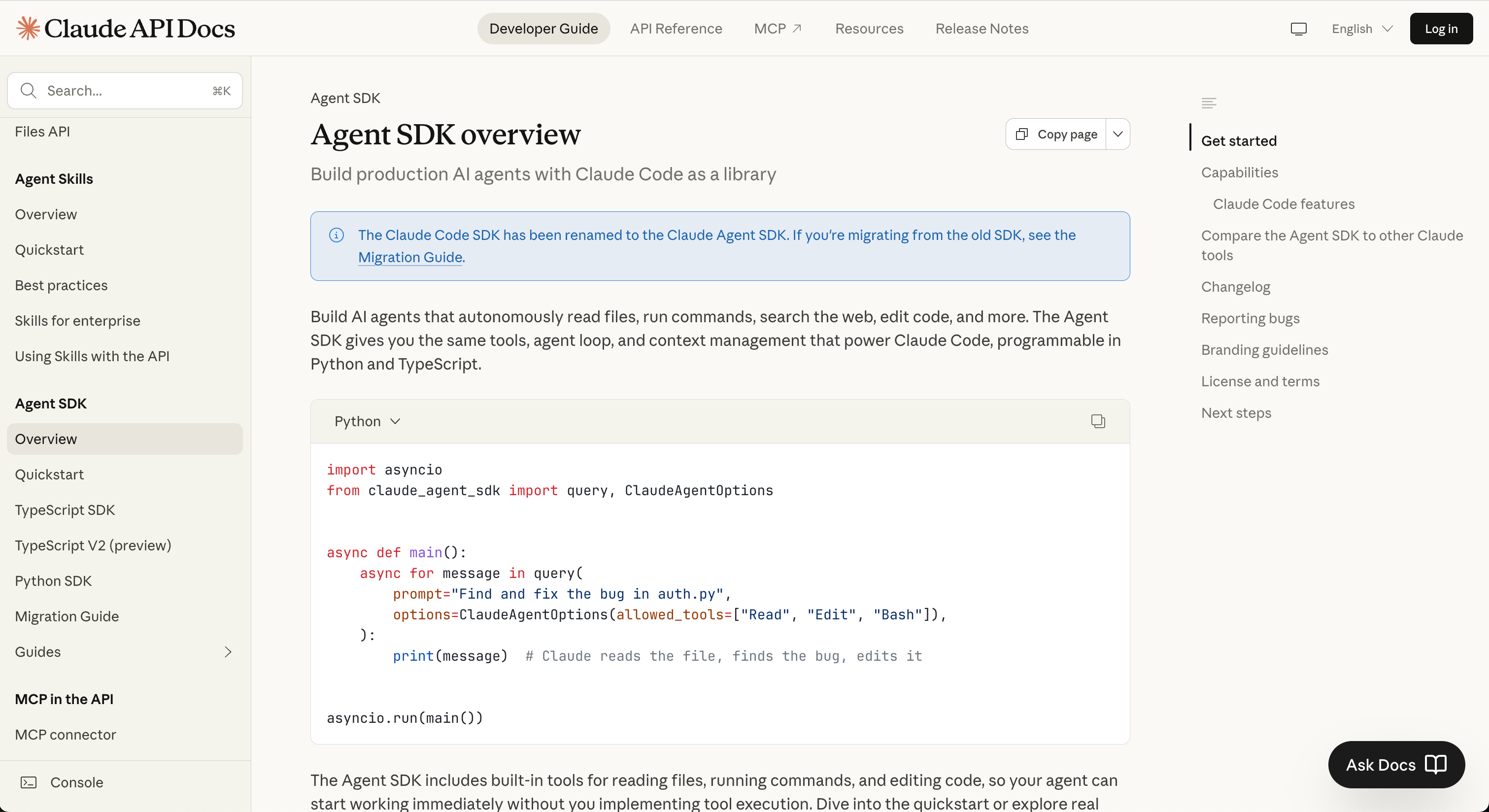
SDKs for full control. Anthropic’s Agent SDK, OpenAI’s Assistants API, and frameworks like LangChain let you build agents programmatically. More power, more complexity. Only go here if the simpler options aren’t enough.
You don’t need to start with SDKs. Start simple with Claude Code and a well-written CLAUDE.md file. Start there.
Agents have opinions
And agents have opinions. A recent study of 2,430 Claude Code interactions found that in 12 out of 20 task categories, the agent chose to build a custom solution rather than recommend an existing tool. Asked to add feature flags? It builds a config system from scratch instead of reaching for LaunchDarkly. Asked about authentication? It implements JWT + bcrypt rather than suggesting Auth0.
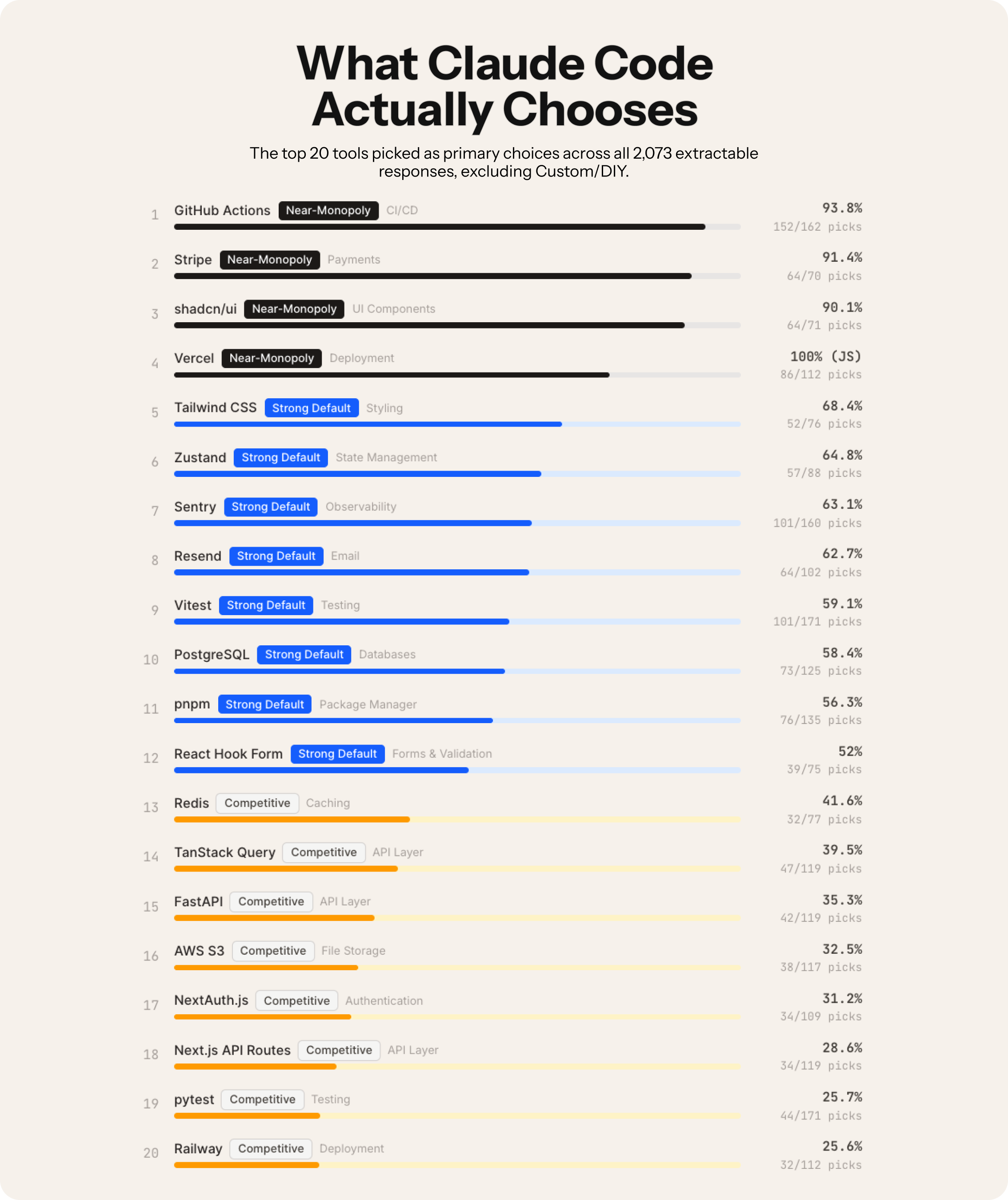
This matters for design systems. Point an agent at your token validation problem and it will happily build you a custom solution. That might be exactly what you need. Or you might have been better off with an ESLint plugin that already exists. The agent won’t make that call for you. You have to.
The hype is real, but so is the waste
Peter Steinberger, creator of OpenClaw (the fastest-growing GitHub project ever), just joined OpenAI. His mission: “build an agent that even my mum can use.” Gartner published a report on February 13 about “context graphs” as essential infrastructure for agentic systems. Enterprise is all-in.
But Anthropic, the company behind Claude, says something much more grounded in their “Building Effective Agents” guide: find the simplest solution possible, and only increase complexity when needed.
That’s worth repeating. The company selling you AI agents is telling you not to build agents unless you have to.
Why? Because agents trade latency and cost for better task performance. They consume roughly 4x more tokens than simple chat interactions. Multi-agent systems? Try 15x. And when something goes wrong, you don’t get a nice red error message. You get a token bill that looks like someone put an API call inside an infinite loop.
For most design system work, a workflow or a well-written script will outperform an agent. Less cost, faster execution, more predictable results.
By the way, these are typical token drivers:
System + tool schemas → High upfront cost
Planning / reasoning loops → Medium–high
Tool outputs re-ingested → High
Memory retrieval → Medium
Self-reflection / retries → High
✨ A simple chat = 1 request → 1 response
✨ An agent = plan → act → observe → reflect → retry

Agent Skills are modular capabilities that extend AI coding assistants. Each skill consists of a SKILL.md file with instructions, plus optional scripts and templates. In December 2025, Anthropic released the Agent Skills specification as an open standard, and OpenAI adopted the same format for Codex CLI and ChatGPT. Skills are model-invoked—the AI automatically decides when to use them based on context.
🔗 https://skillsmp.com/
A five-question checklist
1. Is the task complex enough?
If the task follows the same steps every time, you want a workflow. If it requires judgment, adaptation, and handling unexpected situations, you might want an agent.
Token linting is a workflow. You know the rules. Check if raw hex values are used instead of tokens. Flag primitive tokens used directly in components. Run it on every PR. Done. No agent needed.
But reviewing a new component design against your entire design system’s guidelines, considering context, brand, accessibility, and platform constraints? That requires judgment. That’s agent territory.
2. Is the task valuable enough?
If each task run saves less than $0.10 of human time, use a workflow. If it saves more than $1.00 per run, an agent starts making economic sense.
Checking a file for unused imports? Pennies. Not worth an agent.
Migrating 200 components from one token schema to another, where each component needs contextual decisions about which new token maps to the old one? That’s hours of human work per component. An agent pays for itself on the first run.
3. Are all parts of the task doable?
This one trips people up. If your agent needs to access Figma’s internal rendering engine, read a designer’s mind about intent, or make pixel-perfect visual comparisons without any ground truth, you don’t have an agent problem. You have a scope problem. Reduce it until every step is technically feasible.
4. What is the cost of error?
High cost of error means read-only access and human-in-the-loop. Low cost of error means you can let agents run autonomously.
An agent that suggests documentation updates? Low risk. A human reviews before publishing. Let it run.
An agent that automatically pushes token changes to production across 12 codebases? Extremely high risk. One wrong semantic mapping, and your entire product suite has the wrong error colors. Keep this read-only, with human approval gates at every step.
5. Can you trust the output?
There’s a design systems angle to agents that almost nobody is discussing yet. Design systems are trust infrastructure.
Teams adopt your tokens, components, and patterns because they produce consistent, predictable results every time. Agents introduce variability. Run the same prompt twice, and you might get two different outputs. That’s fine for a blog draft. It’s a problem when the agent is deciding which semantic token maps color.background.danger across your component library.
So before you deploy an agent into any design system workflow, ask yourself: is the output deterministic enough that teams can rely on it? Can you audit what the agent did and why? Can someone else reproduce the result? And when the agent makes a choice, can it explain its reasoning in terms your team actually understands? If the answer to any of those is no, you don’t have an agent problem. You have a governance gap. Close it before you ship.
Three core principles for agents from Anthropic:
Simplicity in design
Transparency → explicitly show planning steps
Careful ACI (agent-computer interface) → invest heavily in tool documentation and testing
Applying this to real design system work
Let me walk through five common scenarios.
Token validation → Workflow
The rules are static. You know exactly what correct looks like. Check if raw hex values are used instead of tokens, flag primitives used directly in components. AST parsing and token matching are solved problems. Each individual check is cheap, and false positives are just noise.
Write a linter. Run it in CI. Done.
Component documentation generation → Agent with human review
This one gets interesting. Reading code, extracting props, understanding usage patterns, writing clear descriptions. There’s real judgment involved. And documentation is the #1 complaint about every design system, so the payoff is high.
But bad docs are annoying, not destructive. So scope it to generating drafts. The agent handles the tedious extraction and first pass. You handle the voice and accuracy check. A human approves before merging.
Design review against guidelines → Scoped agent
Context matters enormously here. A red button is fine in a destructive action confirmation, wrong in a success state. Manual design reviews are a bottleneck for every team, so the value is obvious.
The problem is feasibility. Visual comparison is hard. Semantic analysis of intent is harder. And bad feedback wastes designer time and erodes trust.
So reduce scope to what’s actually doable. Token usage, spacing consistency, accessibility requirements. Leave subjective judgment (layout quality, visual harmony) to humans. Be honest about what the agent can and cannot evaluate.
Cross-codebase migration → Agent with strict guardrails
This is where agents genuinely shine. Every component has unique context, dependencies, and edge cases. Migrations eat months of team time. It’s the single most valuable automation you could build.
But it’s also the most dangerous. One wrong semantic mapping and your entire product suite has the wrong error colors.
Run agents with read-only access first. Generate migration PRs for human review. Never auto-merge. Test each migration against visual regression snapshots before approving.
Generating new components from Figma → Agent
Translating design intent to production code involves many judgment calls. Hours saved per component. Tools like Claude Code already do this well when given proper context (your existing components, tokens, and conventions).
The agent generates a first pass. A developer refines it. Bad code gets caught in review. This cuts component creation time from days to hours.
The “90% workflow” test
Anthropic’s framework includes a brutally practical insight. Track your agent runs for a month. If the agent does the same tasks in the same order for 90% or more of cases, you’ve discovered a workflow hiding inside an agent.
Convert it. You’ll get faster execution, lower costs, and more predictable results.
Most design system automation falls into this category. Token syncing, changelog generation, accessibility checks, component scaffolding. These are all repetitive, well-defined tasks. Build them as workflows. Save agents for the genuinely complex work.
Start here
If you’re considering agents for your design system, start with this:
Audit your manual tasks. List everything your team does repeatedly and time needed for each one.
Score each task against the four questions. Be honest about complexity and error cost.
Build workflows first. Linters, CI checks, and scripts handle 80% of design system automation needs.
Pilot one agent use case. Pick the highest-value, lowest-risk task from your audit. Documentation generation is usually the safest starting point.
Measure ruthlessly. Track time saved, error rates, and token costs. If the agent isn’t clearly outperforming a workflow, simplify.
The goal isn’t to have the most sophisticated AI setup. The goal is to free your team from repetitive work so they can focus on what actually matters: making decisions about your system’s direction, quality, and adoption.
Don’t build an agent because you can. Build one because nothing simpler will do the job.
The real way to learn this
Pick a small problem you actually have. A report you have to manually compile. A workflow that’s tedious. A prototype you wish existed.
Spend 30 minutes writing context before you prompt. Not the prompt itself. The context. What the problem is, who it’s for, what good looks like, what constraints exist.
Point an agent at it and watch what happens. Don’t expect perfection. Expect a starting point. React to it. Guide it. Iterate.
Do this ten times. With different problems. Different levels of complexity. You’ll develop intuition for what works, what context matters, how to evaluate output.
The hard part is still the same thing→ understanding the problem, user empathy, judgment, taste.
Those don’t get automated. They get more valuable. 🙌
Start building,
Romina
— If you enjoyed this post, please tap the Like button below 💛 This helps me see what you want to read. Thank you.
💎 Community Gems
Component Odyssey (Course)
Learn to build and publish your own component library that works in any web framework.
Save yourself and your company weeks of development time. Build components your users will love. Become a future-proof web developer.
🔗 Link
Paper (just launched)
The connected canvas for teams shipping with agents.
🔗 Link
Thanks Romina, that clarified a lot!
Highly informative.